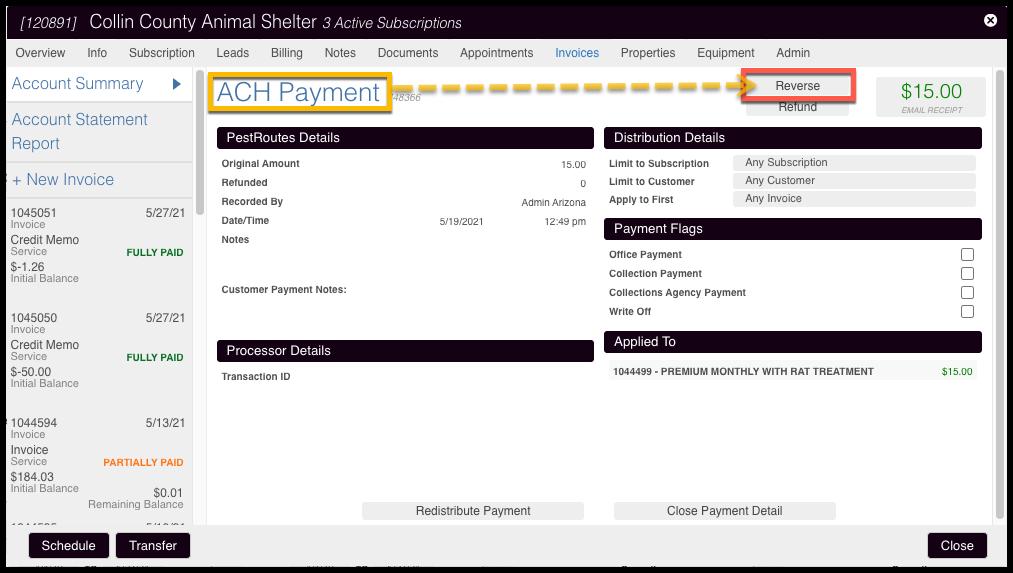
Use Reverse (formerly “Clear”) to cancel a transaction on the Customer Card without returning funds. This is useful when funds fail to process fully — for example, because of an expired card or insufficient funds. Reversing removes the payment record from the Customer Card.
Caution:
If a payment is reversed when a refund was intended, the refund can no longer be processed in FieldRoutes. It must be handled directly through the Merchant Portal.
-
Select the payment from the Payments list.
-
Select Reverse.
-
Review the reminder message confirming that this action cancels the payment in the customer record only and does not initiate anything through the payment system.
-
Select OK.
Important:
Creating and refunding an Existing Transaction after a reversal does not return funds to the customer. This is not a valid substitute for a Merchant Portal refund.