- Go to client account
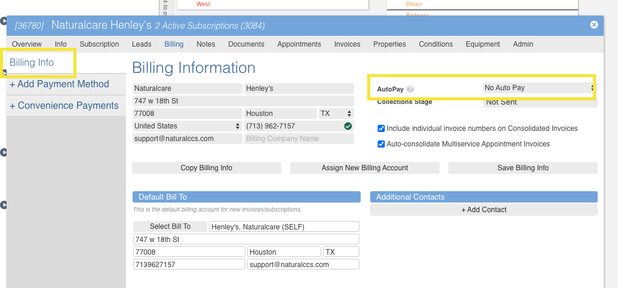
- Click on Billing
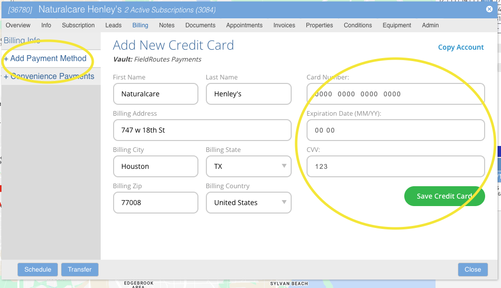
- drop box will open and chose Add Payment Method click on this
- Add payment appears- click on credit card -this will open and you will see where to add cc number-expiration date and CVV then click Save card
- Go back to Billing info- to the right you will see AutoPay- click Autopay to the right and you will see the last 4 digits- press on this and it is now on autopay
- close